
The Conversation Logs tab is your central place to review, audit, and analyze every voice interaction your agent has handled - whether from a live phone call or a browser-based test in the Playground. This helps you monitor call quality, track spending, and continuously improve your agent’s performance.Documentation Index
Fetch the complete documentation index at: https://docs.chatzy.ai/llms.txt
Use this file to discover all available pages before exploring further.
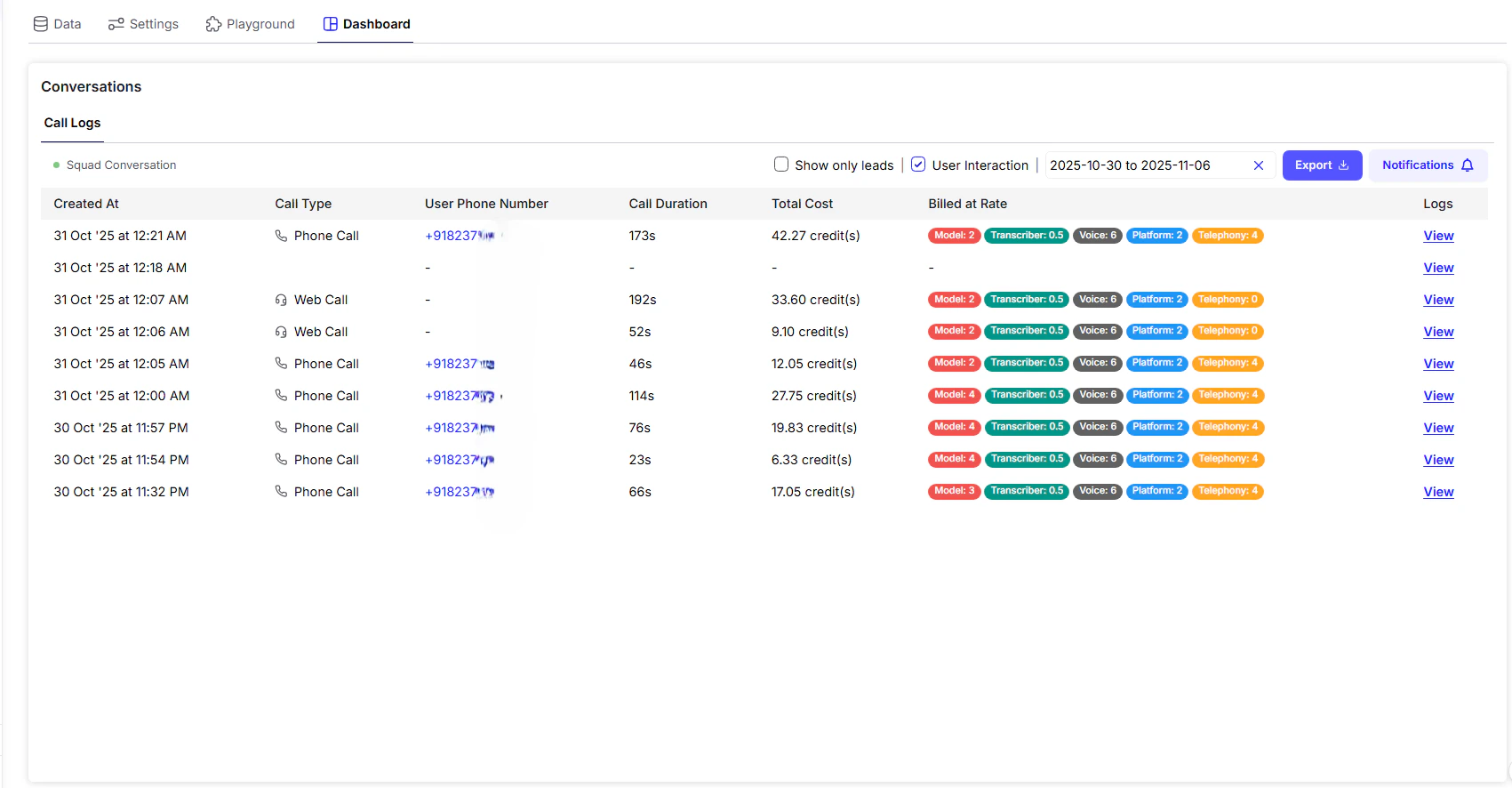
Conversation Log Table Overview
| Column | Description |
|---|---|
| Created At | Timestamp indicating when the call began. |
| Call Type | Specifies whether it was a Phone Call (telephony) or Web Call (browser-based testing). |
| User Phone Number | Caller’s phone number. |
| Call Duration | Total length of the call in seconds (s). |
| Total Cost | Total credits billed for the interaction based on call length and services used. |
| Billed at Rate | Shows a breakdown of the cost components: Model, Transcriber, Voice, and Telephony. |
| Logs | Button to View full conversation details, recordings, and analysis options. |
Detailed Conversation Logs
Click the View button next to a conversation entry to open the full log view a pop-up with rich functionality for review and optimization.Key Features in Log View:
-
Audio Recording
Listen to the full call or click Download Recording to save it for QA analysis or agent training. -
Transcript
Read through the entire transcribed conversation, showing both user speech and agent responses in a clear timeline. -
Revise Answer
If the agent’s response was incorrect or inadequate, use Revise Answer to provide a better version. This feedback loop helps retrain the AI to improve future performance. -
Download Conversation PDF
Export the complete call (including transcript and metadata) as a PDF for auditing, client reporting, or internal records.
Tip: Use the combination of audio, transcript, and answer revision to continually fine-tune your agent and reduce unnecessary call handling or retry costs.