
The Playground is your live testing environment for Voice AI Agents. It lets you simulate real user interactions — by chat, browser call, or phone call — so you can validate and refine your setup before going live.Documentation Index
Fetch the complete documentation index at: https://docs.chatzy.ai/llms.txt
Use this file to discover all available pages before exploring further.
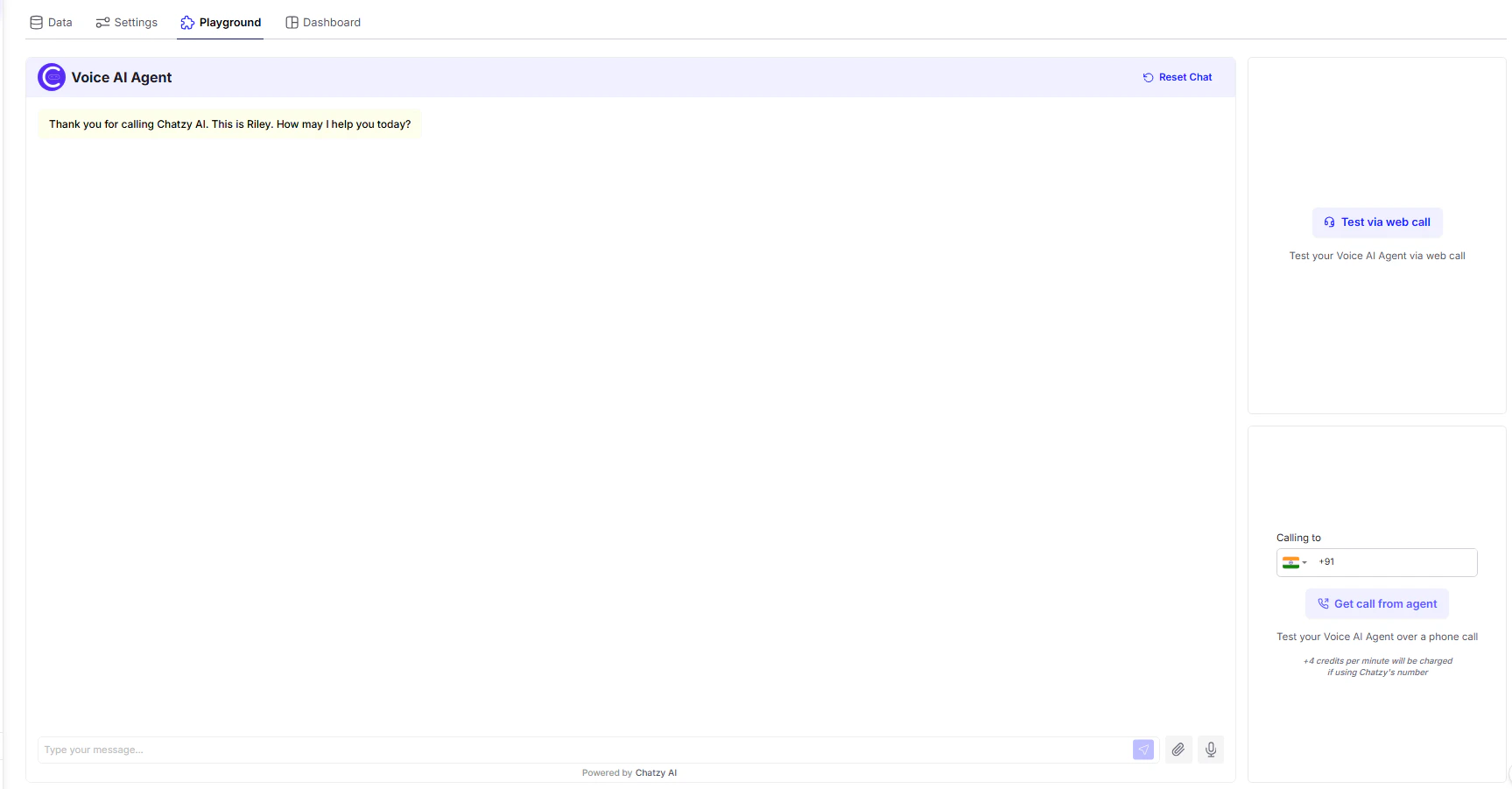
Three Ways to Test Your Voice AI Agent
1. Simulate Chat (Text Mode)
- How it works: Use the message box to type user queries and see how the agent responds in real time.
- Advantages:
- Quick way to test logic and conversational flow.
- Works even if voice settings or telephony aren’t configured yet.
- Best for:
- Early testing of prompt, knowledge base, and decision logic.
- Validating fallback or error handling.
2. Test via Web Call (Browser Mode)
- How it works: Click Test via web call to initiate a voice interaction right in your browser using your mic and speakers.
- Advantages:
- Zero setup — no phone number needed.
- Fastest way to test the full voice pipeline: STT → LLM → TTS.
- Best for:
- Tuning voice tone, pronunciation, pacing, and latency.
- Debugging voice interruptions (barge-in), silence detection, etc.
3. Get Call from Agent (Phone Mode)
- How it works: Input your phone number and receive a real incoming call from your Voice Agent.
- Advantages:
- Full end-to-end telephony test, including call routing and quality over cellular networks.
- Best simulates how customers will interact in production.
- Usage Note:
- You’ll see a notice like:
“4 credits per minute will be charged if using Chatzy’s number.” - This makes it easy to estimate call testing cost.
- You’ll see a notice like:
Conversation Panel
- Transcript View: Shows real-time logs of both user and agent messages (voice or text).
- Reset Chat: Clears the session so you can restart instantly.
- Manual Input: Type messages directly or speak via mic depending on the test mode.
Use the Playground during each build phase to ensure smooth communication, correct logic, and responsive interaction before deploying your agent live.