
Documentation Index
Fetch the complete documentation index at: https://docs.chatzy.ai/llms.txt
Use this file to discover all available pages before exploring further.
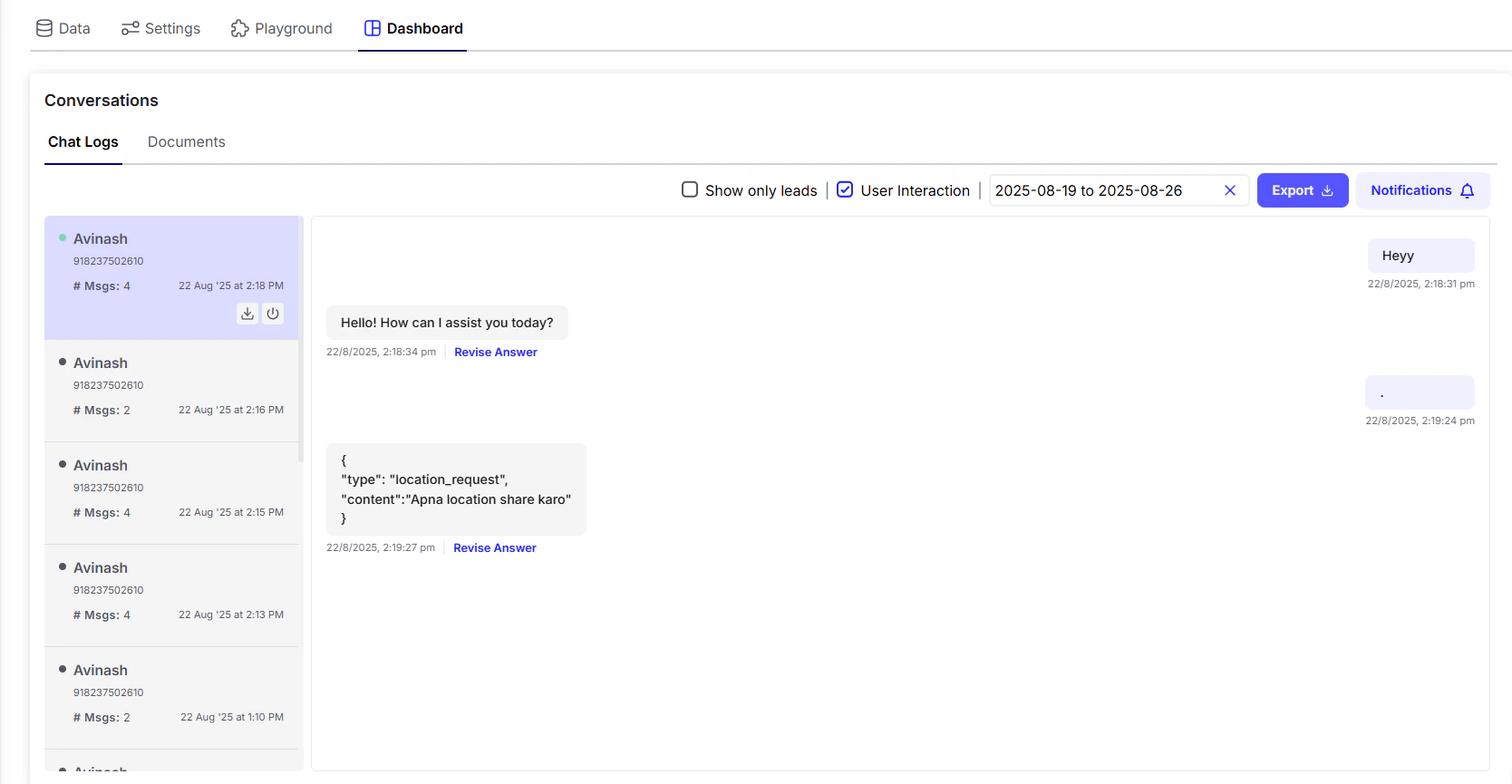
- Access Chat Logs to see conversations between users and your agent.
- Switch to the Documents tab to check uploaded documents by users.
- Use Revise Answer when the bot gives an unsatisfactory response. You can correct it with the expected answer, training the AI Agent to perform better in similar cases.
- Click the View Source (Book Icon) when a response comes from the knowledge base to see the exact document or data used. Helpful for verification and debugging.
- Filter conversations by date range, interaction type, or show only leads.
- Export data in a single click for reporting and analysis.
- Enable Notifications to stay updated on new interactions.
- Control live conversations — click the power button in the User Info section to close the chat.
- Save records with the Download button to export logs.