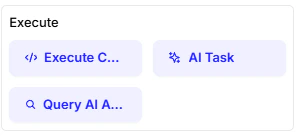
The Execute cards give your chatbot the ability to perform actions behind the scenes. Unlike input or message cards, these are for running code, calling AI models, or querying other agents to accomplish complex tasks.Documentation Index
Fetch the complete documentation index at: https://docs.chatzy.ai/llms.txt
Use this file to discover all available pages before exploring further.
Execute Code
This powerful card allows you to run custom code directly within your flow. It’s useful for data manipulation, logic, calculations, or integrating external APIs. When using this card, you have access to pre-configured globals that simplify coding:-
Functions
-
len(obj): Returns the length of an object (e.g., list, string). -
range(start, stop): Generates a sequence of numbers. -
print(message): Logs output safely. -
get_contact_details(): Retrieves predefined details about the current contact.- The returned object includes useful variables you can directly use in your code:
- This means you can quickly access user data without writing extra queries.
- Example usage:
Output:
Hello Avinash, we’ll contact you at 918237502610.
- The returned object includes useful variables you can directly use in your code:
-
get_details(): Fetches user information from current conversation id. -
upload_to_s3(file): Uploads a file to Amazon S3 storage. -
save_details(data): Saves data for later use in the flow.
-
-
Modules
httpx: For making HTTP requests to external APIs.json: Parse and manipulate JSON data.re: Use regular expressions to validate or extract text patterns.datetime,timezone,timedelta: Handle dates, times, and timezones.
-
Types
str: Strings of text.int: Whole numbers.float: Decimal numbers.list: Ordered collection of items.dict: Key-value pairs.set: Unordered unique items.tuple: Immutable sequence of values.
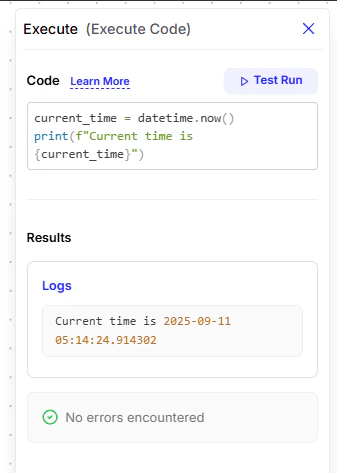
Example:
Get the current time and save it to a variable:
AI Task
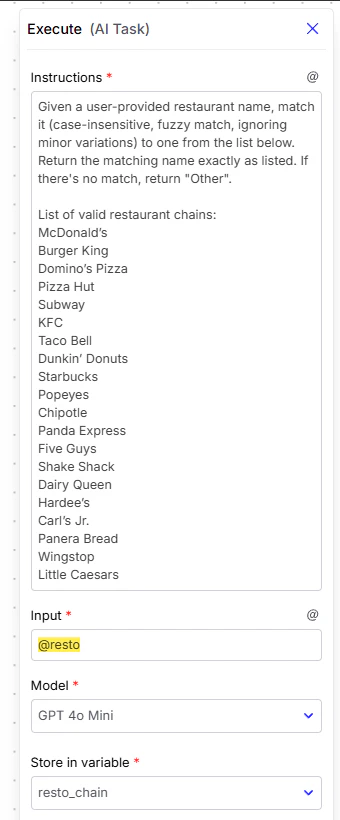
This card sends a specific instruction to an AI model to perform a focused task and return a response. Unlike normal conversation, it is designed for precise execution.- Instructions: A concise directive for the AI describing exactly what it should do.
- For example, you might tell the AI to validate a user’s input against a predefined list and return either the closest match or a default value like
"Other".
- For example, you might tell the AI to validate a user’s input against a predefined list and return either the closest match or a default value like
- Input: The data the AI should process.
- This can be text directly entered or dynamic values passed from variables (e.g., capturing what a user typed earlier).
- Model: The AI model that will execute the instruction (e.g., a lightweight or advanced GPT model depending on your needs).
- Store in variable: The place where the AI’s output will be saved so it can be reused later in the flow.
- The user provides some input (like a name).
- The AI Task receives that input and compares it against a defined list.
- If the input matches an item (even with minor variations like spelling), the AI returns the exact standardized value.
- If no match is found, the AI returns a fallback such as
"Other".
Query AI Agent
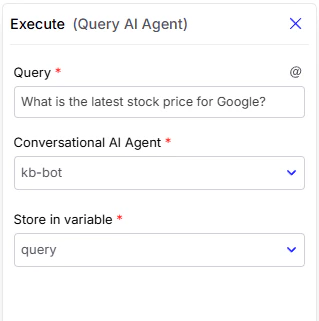
This card lets your chatbot query another specialized AI Agent that you’ve configured. It helps in creating a network of collaborative agents.- Query: The request you want to send.
- Conversational AI Agent: Choose which agent to query.
- Store in variable: Save the response.