
Documentation Index
Fetch the complete documentation index at: https://docs.chatzy.ai/llms.txt
Use this file to discover all available pages before exploring further.
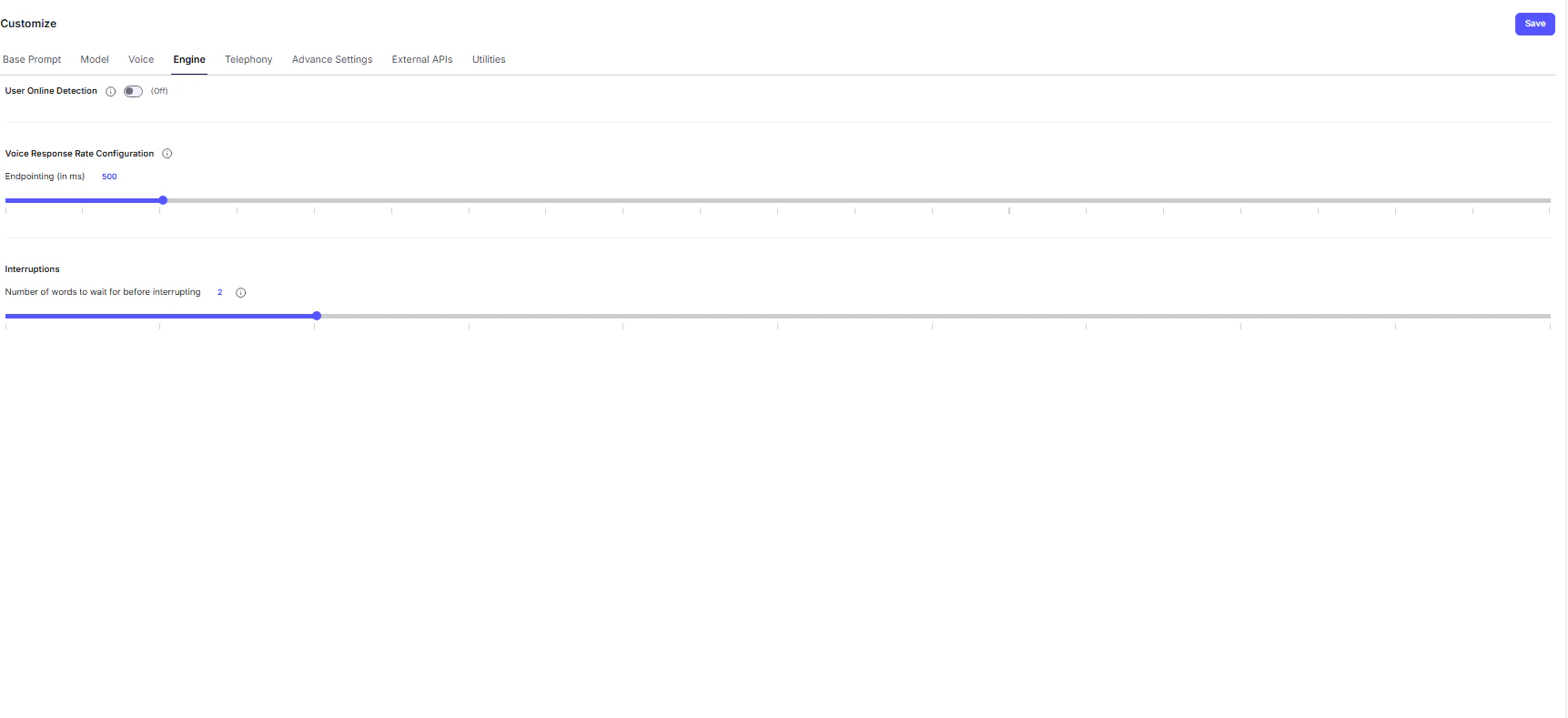
The Engine tab contains advanced configuration options that shape the responsiveness, fluidity, and overall performance of your Voice AI Agent. Adjusting these parameters helps create a more seamless and human-like voice experience.
Conversation Control
- User Online Detection — This toggle monitors user activity during a voice session.
If the system detects prolonged silence or inactivity, it will automatically send a ping message after a set duration to confirm whether the user is still active before gracefully ending the call.
Voice Response Rate Configuration
These controls fine-tune the latency (response delay) of your agent, directly impacting how natural the conversation feels.- Endpointing (in ms) - Defines the pause duration (in milliseconds) after the user stops speaking before the agent starts responding.
- Lower values → Faster replies, but risk cutting off the user mid-sentence.
- Higher values → Safer, more natural pacing, but slightly slower responses.
Tip: Experiment to balance responsiveness with natural turn-taking.
Interruptions
This section governs how the agent reacts when the user speaks while it’s still talking — a behavior known as barge-in.-
Number of Words to Wait Before Interrupting - Sets the tolerance threshold for interruptions.
The agent will ignore user speech until it has spoken this many words, ensuring the start of its message isn’t instantly cut off.Note: If the user says keywords like “Stop,” “Wait,” or “Hold on,” the agent automatically pauses, regardless of this setting.
💡 Best Practice:
Use moderate endpointing and interruption settings to maintain conversational flow - too aggressive can feel robotic, while too passive may cause delays.