
Documentation Index
Fetch the complete documentation index at: https://docs.chatzy.ai/llms.txt
Use this file to discover all available pages before exploring further.
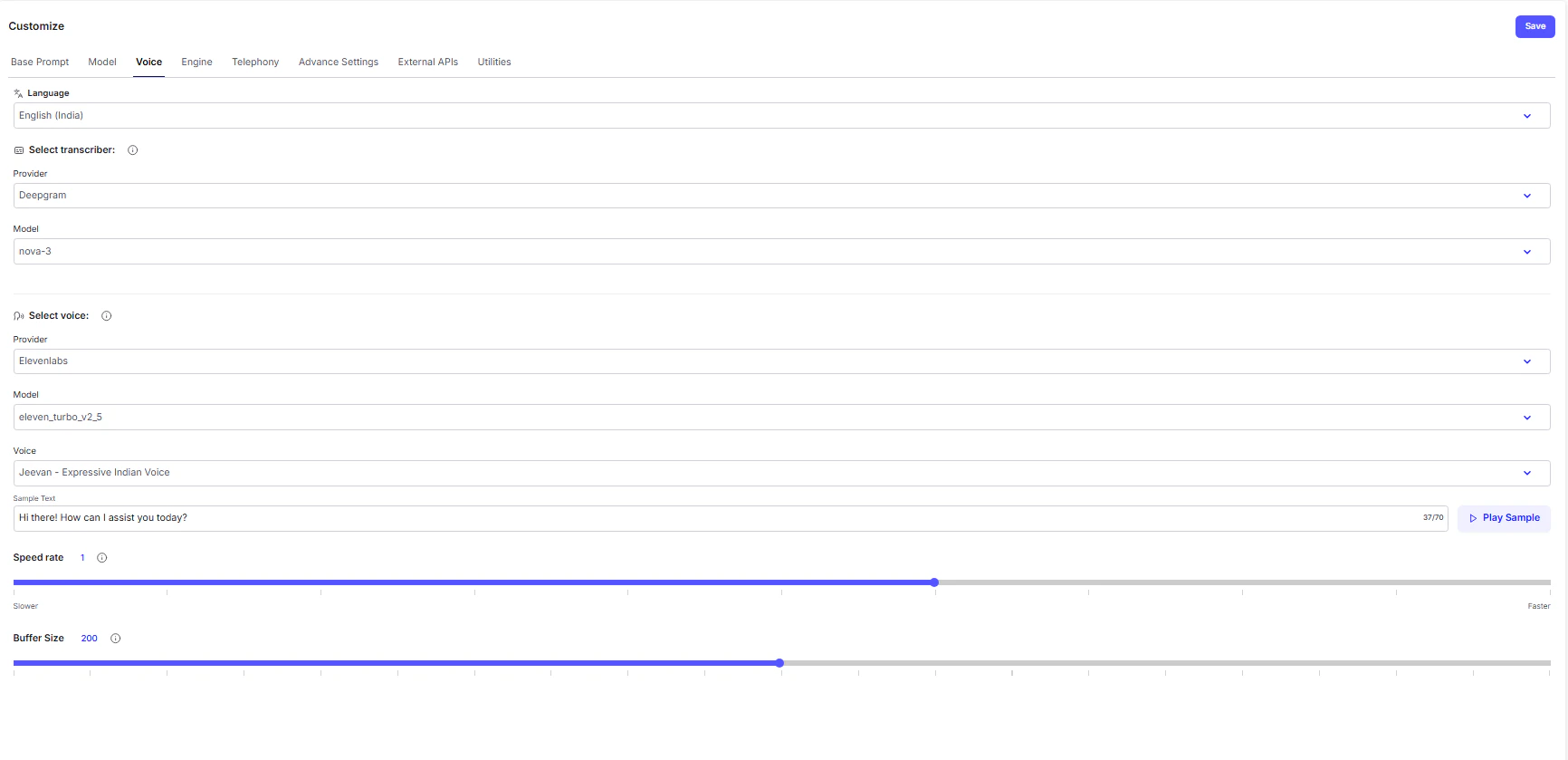
The Voice Tab
The Voice tab shapes how your AI agent sounds and listens - defining its entire auditory experience. Here, you control how it understands speech, responds with lifelike audio, and maintains a natural flow during calls or voice interactions.Language
This determines the language and accent your voice agent will use for both listening and speaking.- Language: Choose the specific language and regional dialect (e.g., English (India)). This ensures the agent correctly interprets user speech and responds in a matching tone and vocabulary.
Speech-to-Text (Input)
This section governs how the agent hears and understands the user. The system uses a transcriber to convert spoken words into text before processing them through the AI model.- Select Transcriber: Choose the Speech-to-Text engine that best suits your application.
- Provider: The technology provider offering the transcription service (e.g., Deepgram).
- Model: The specific transcriber model version (e.g., nova-3), determining how quickly and accurately speech is converted to text.
Text-to-Speech (Output)
This defines how the agent speaks back to the user. The selected voice synthesizer turns the AI’s text responses into natural-sounding speech.- Select Voice: Pick the Text-to-Speech (TTS) engine and voice that matches your brand’s style.
- Provider: The TTS service powering the audio output (e.g., ElevenLabs).
- Model / Voice: The specific voice profile or tone you want the agent to use (e.g., Jeevan – Expressive Indian Voice).
Audio Delivery Fine-Tuning
Fine-tune how your agent sounds during conversations - balancing clarity, timing, and natural flow.- Speed Rate: Controls how fast or slow your agent speaks. Adjust the slider to match your preferred pace (default is 1).
- Buffer Size: Controls how much audio is preloaded before playback. A higher buffer size results in smoother long responses, but may introduce a slight delay before speech begins.