
The Advanced Settings tab gives you detailed control over how your chatbot processes information. These options affect how data is retrieved, how conversations are remembered, and how responses are generated.Documentation Index
Fetch the complete documentation index at: https://docs.chatzy.ai/llms.txt
Use this file to discover all available pages before exploring further.
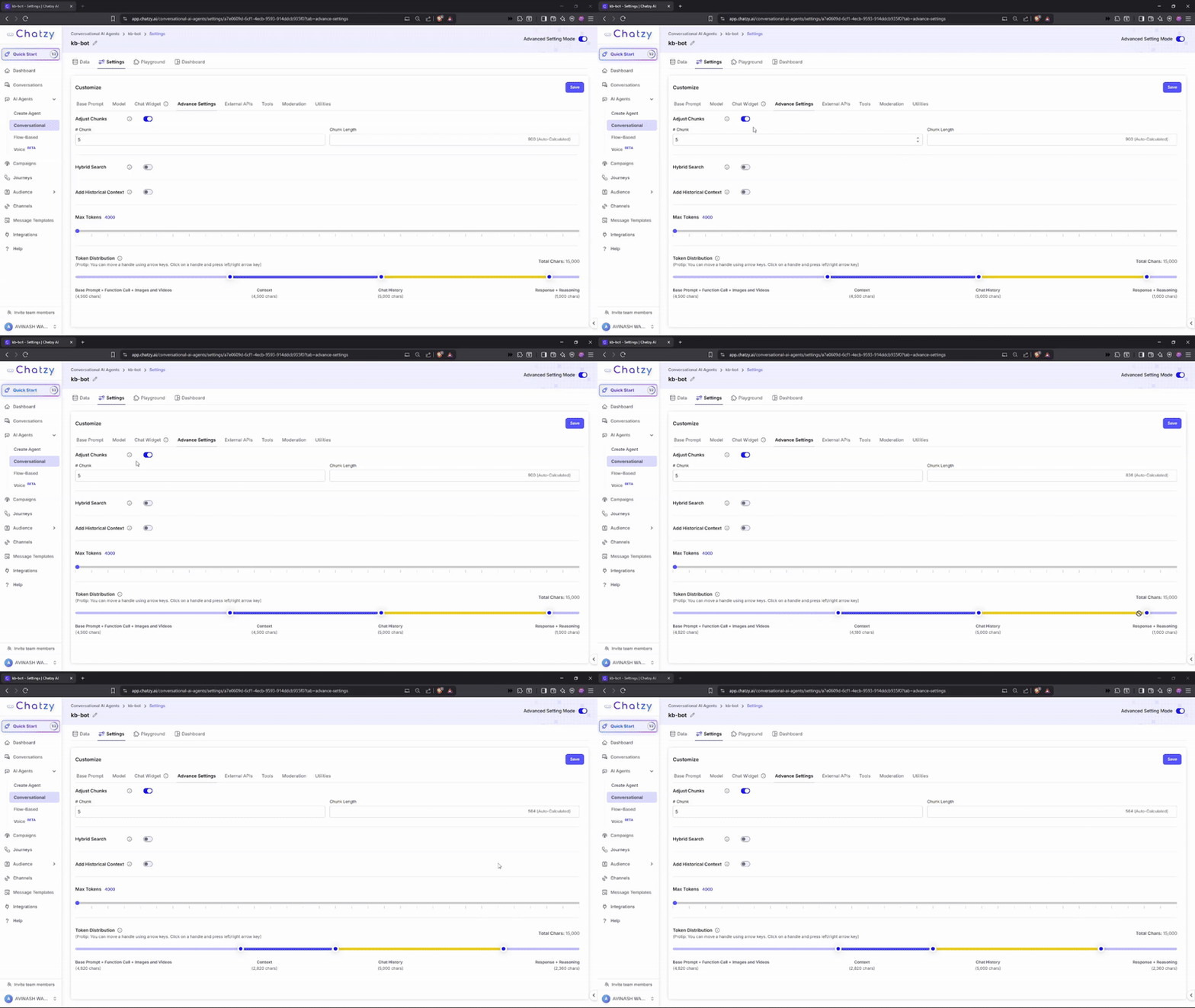
Key Features
- Adjust Chunks
Control how your uploaded data is split into smaller units (chunks) for the AI to process.- Chunks: Number of segments your data is divided into (e.g., 5).
- Chunk Length: Size of each chunk (measured in characters).
- Formula:
# Chunks × Chunk Length = Context Length
Example:3 × 1500 = 4500 chars - Tip: Smaller chunks improve precision but may reduce contextual understanding. Larger chunks preserve more information but can introduce irrelevant details.
-
Hybrid Search
Improves relevancy in knowledge search by combining keyword and semantic matching.-
How it Works:
- Retrieves a larger set of chunks:
# Chunks × Initial Fetch Multiplier(default: 5). - Runs a text search across these expanded results.
- Combines similarity search + text search into a final relevancy score.
- Retrieves a larger set of chunks:
-
Alpha Parameter (0–1):
Alpha = 1→ similarity-focused (semantic emphasis).Alpha = 0→ text-focused (keyword emphasis).- Values in between balance both methods (default:
0.5).
-
Use Case:
Adjust for your needs — use higher alpha for conversational queries, lower alpha for exact keyword lookups.
Customize Hybrid Search to fine-tune how your bot balances meaning vs. exact match.
-
How it Works:
-
Add Historical Context for KB Query Construction
Turn this option on when you want to construct a knowledge base search query specific to exact key terms or entities from the user’s message.- Benefit: Improves continuity, relevance, and personalized responses.
- Initial Fetch Multiplier: Defines how many more documents to fetch in the initial retrieval stage before ranking (default: 5).
- Alpha: Balances the weight between query relevance and conversation context when scoring retrieved results (default: 0.5).
- Credits: Consumes additional credits (
0.2 credit per message).
If this option is off, the user’s query is used directly to search the knowledge base, which might result in less relevant chunks being picked.
When you turn this on, we use an LLM along with historical context to construct the query. This results in more relevant chunks being selected from the knowledge base, ultimately producing more coherent and context-aware chatbot replies.
Prompt Example: Using Historical Context for Query Construction
- Max Tokens
Sets the maximum length of a response (measured in tokens – words or word parts).
Helps manage cost, control verbosity, and ensure the bot responds within limits.
-
Token Distribution
Visual slider that shows how your totalMax Tokensare allocated across different components:- Base Prompt + Function Call + Media
- Context (Knowledge)
- Chat History
- Response + Reasoning
- Base Prompt + Function Call + Media → ~1,500 tokens
- Context (Knowledge) → ~7,500 tokens
- Chat History → ~5,000 tokens
- Response + Reasoning → ~1,000 tokens
You can dynamically adjust these allocations to balance accuracy, context retention, and reasoning depth.