
Documentation Index
Fetch the complete documentation index at: https://docs.chatzy.ai/llms.txt
Use this file to discover all available pages before exploring further.
The External APIs Tab
The External APIs tab lets you extend your chatbot’s abilities by connecting it to external services. With these integrations, your bot can go beyond its built-in knowledge — fetching real-time data, sending information, or interacting directly with your applications.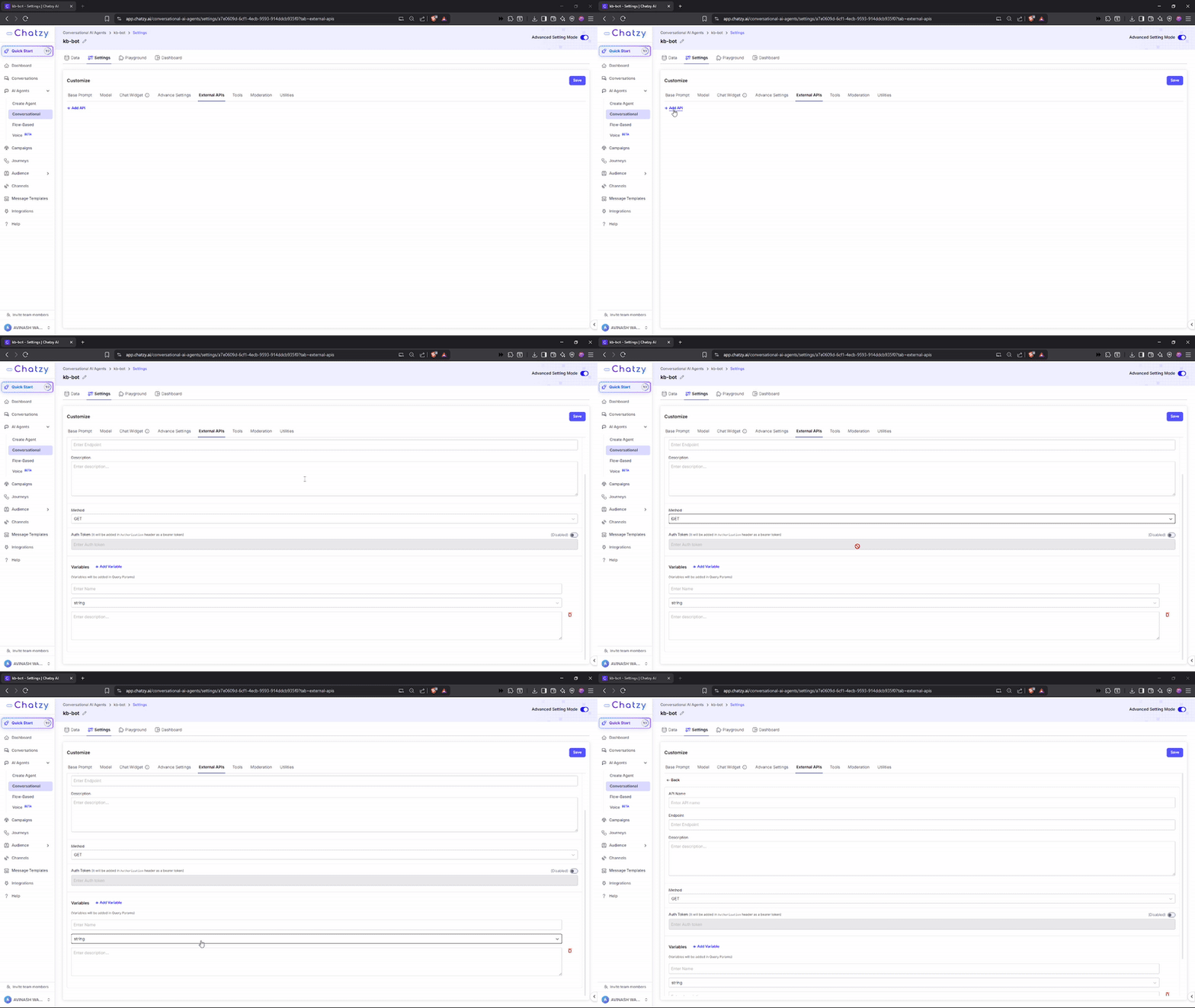
Key Settings
-
API Name
A simple label to identify the API connection. -
Endpoint
The specific URL (web address) where the chatbot sends requests. -
Description
A short explanation of what the API does and when the chatbot should use it.
(e.g., Weather API → fetches current weather conditions based on city input). -
Method
Defines how the chatbot communicates with the API:- GET → Retrieve information. Variables are added as Query Parameters at the end of the URL.
- POST → Send information. Variables are included in the request body as JSON.
-
Auth Token
A secure key that verifies your chatbot’s access rights to the API.- You do not need to add
Bearermanually — ChatzyAI adds it automatically. - This ensures secure and authorized API requests.
If your token isxyz123, ChatzyAI will send it as: - You do not need to add
-
Variables
Dynamic inputs for API calls. Their placement depends on the selectedMethod.- With GET → variables are passed as query parameters.
- With POST → variables are passed in the request body.
- Name → Identifier (e.g.,
city). - Type → Data type (e.g.,
string). - Description → Role of the variable.
- Example → Sample value showing usage.
- Endpoint →
https://api.example.com/weather - Variable →
city = Pune
Then the GET call will look like:
- Endpoint →
https://api.example.com/lead - Variables →
name = John,email = john@example.com - Auth Token →
xyz123
To call your API, you must include it as an instruction in the prompt with a clear use case.
Example: “Use theget_weather_by_cityfunction to fetch weather data.”
| Setting | Purpose |
|---|---|
| API Name | Label to identify the API |
| Endpoint | Web address where the request is sent |
| Description | What the API does and when to use it |
| Method | GET (retrieve) / POST (send) |
| Auth Token | Security key for authentication |
| Variables | Dynamic inputs (e.g., ?city=Pune) for flexible API requests |