
The Chat Widget tab lets you customize how the chatbot looks and behaves when embedded on your website. This ensures the chat experience feels seamless, engaging, and aligned with your brand.Documentation Index
Fetch the complete documentation index at: https://docs.chatzy.ai/llms.txt
Use this file to discover all available pages before exploring further.
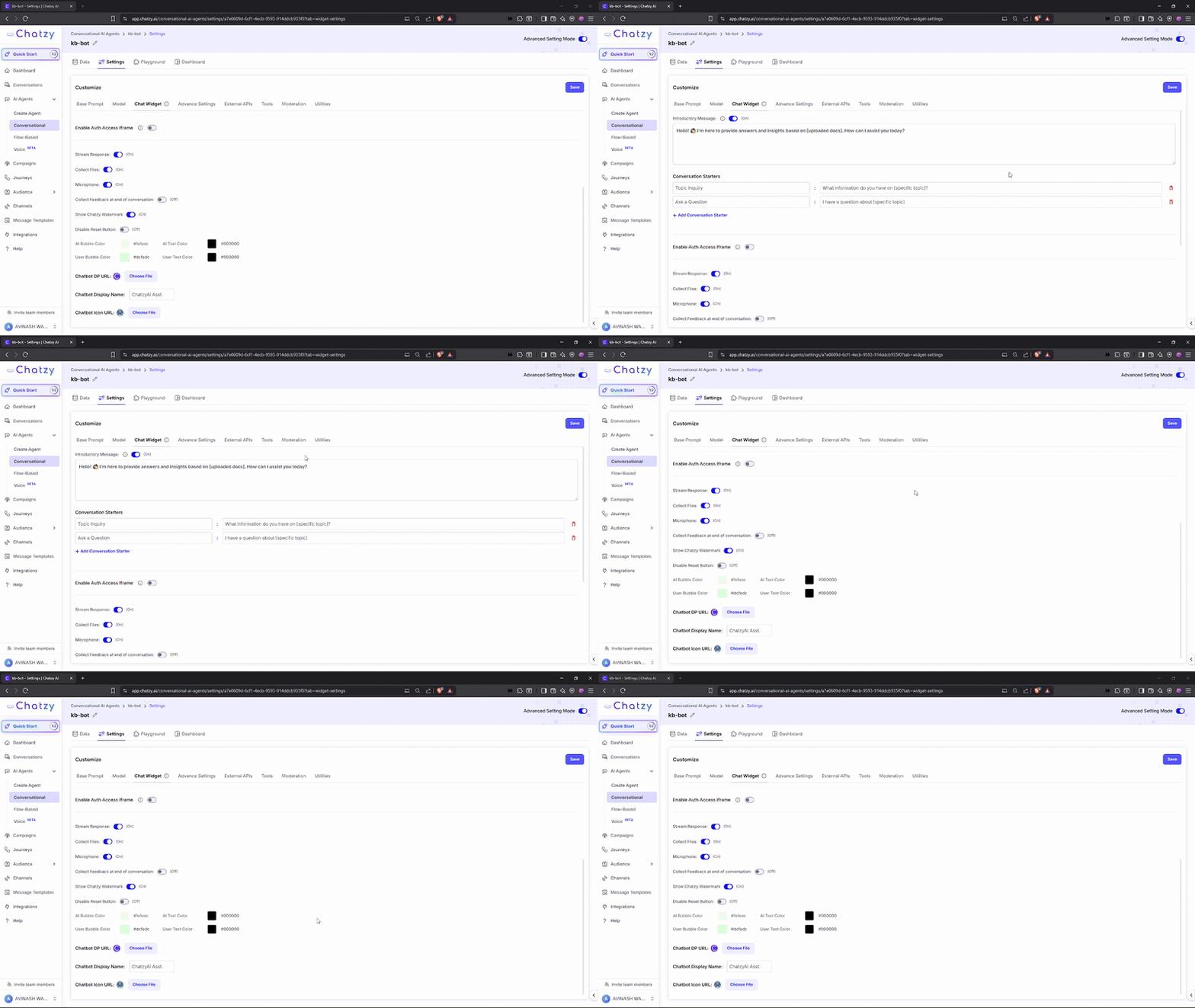
Key Features
-
Introductory Message
The first message users see when they open the widget. Use it to greet visitors and set expectations for the conversation. -
Conversation Starters
Predefined questions or prompts that users can click to instantly begin a chat. Helps guide interactions and boost engagement. -
Enable Auth Access Iframe
Restricts widget usage to authenticated users only. Requires a valid API key, making it essential for protecting sensitive data and controlling access.
You’ll need an AI Agent Auth Key (Client API Key) which can be retrieved from Profile page. After generating your API key, head over to this documentation to learn how to use it. -
Stream Response
Displays replies character-by-character as they are generated, simulating live typing for a more dynamic user experience. -
Collect Files
Adds an option for users to upload files directly in the chat. -
Microphone
Adds a microphone button so users can send voice messages instead of typing. -
Collect Feedback at End of Conversation
Prompts users to provide feedback once the chat session ends. Useful for improving chatbot quality over time. -
Show Chatzy Watermark
Displays a Powered by Chatzy watermark at the bottom of the widget. -
Disable Reset Button
Removes the option to clear conversation history, ensuring all chats remain preserved.
Appearance Customization
You can fully match the widget’s design to your brand:- AI Bubble Color – Background color of chatbot messages.
- AI Text Color – Text color in chatbot messages.
- User Bubble Color – Background color of user messages.
- User Text Color – Text color in user messages.
Chatbot Images
- Chatbot DP URL – Upload a profile picture for your chatbot.
- Chatbot Icon URL – Upload the small icon that appears on your site to open the chat window.