
The Moderation tab is your control hub for keeping chatbot interactions safe, secure, and compliant. It allows you to monitor user inputs in real time, detect policy violations, and automatically take corrective actions.Documentation Index
Fetch the complete documentation index at: https://docs.chatzy.ai/llms.txt
Use this file to discover all available pages before exploring further.
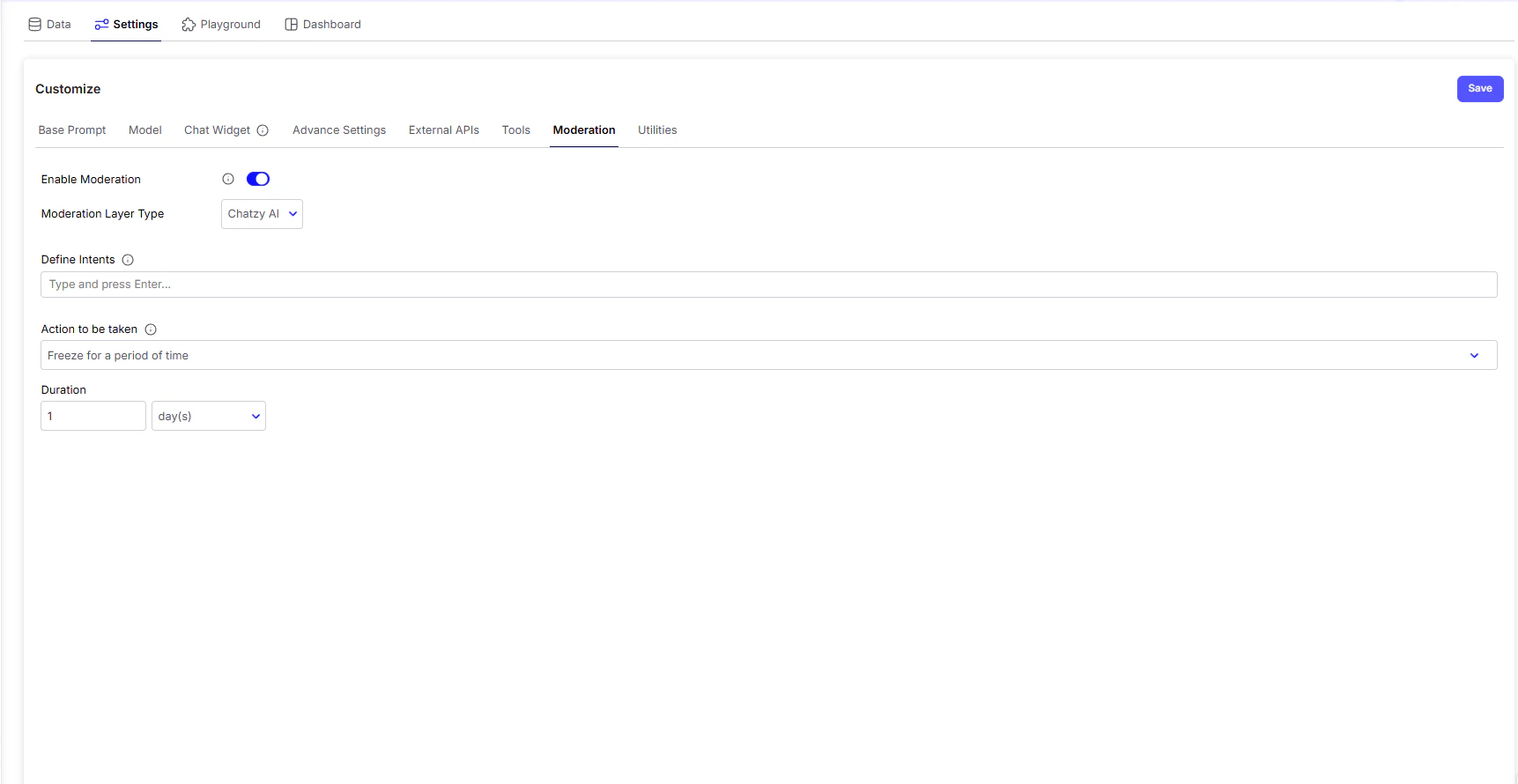
Key Features
-
Enable Moderation
The master switch that activates moderation. Once enabled, all incoming user messages are checked against your moderation rules. -
Moderation Layer Type
Choose which service performs the filtering:- Chatzy AI → The built-in moderation system designed for safe, general-purpose monitoring.
- Lakera AI → A third-party AI security service specialized in detecting prompt injections, malicious inputs, and advanced threats.
-
Define Intents
Set the categories of behavior you want to flag. An intent represents a type of user message or goal, such as:- Hate speech
- Harassment
- Spam
- Policy violations
-
Action to be Taken
Decide what happens when a flagged intent is detected. Actions can include:- Blacklist → Block the user from further interaction
- Freeze → Freeze for a period of Time
| Setting | Purpose |
|---|---|
| Enable Moderation | Turn moderation on/off for all user messages |
| Moderation Layer Type | Select between Chatzy AI (default) or Lakera AI (security-focused) |
| Define Intents | Choose which categories of harmful or unwanted content to detect |
| Action to be Taken | Set the response: blacklist or Freeze |