
The Initiate Outbound WhatsApp Call action allows your Journey to automatically trigger a phone call handled by a Voice AI Agent. This is useful for use cases like appointment reminders, lead callbacks, support follow-ups, and more.Documentation Index
Fetch the complete documentation index at: https://docs.chatzy.ai/llms.txt
Use this file to discover all available pages before exploring further.
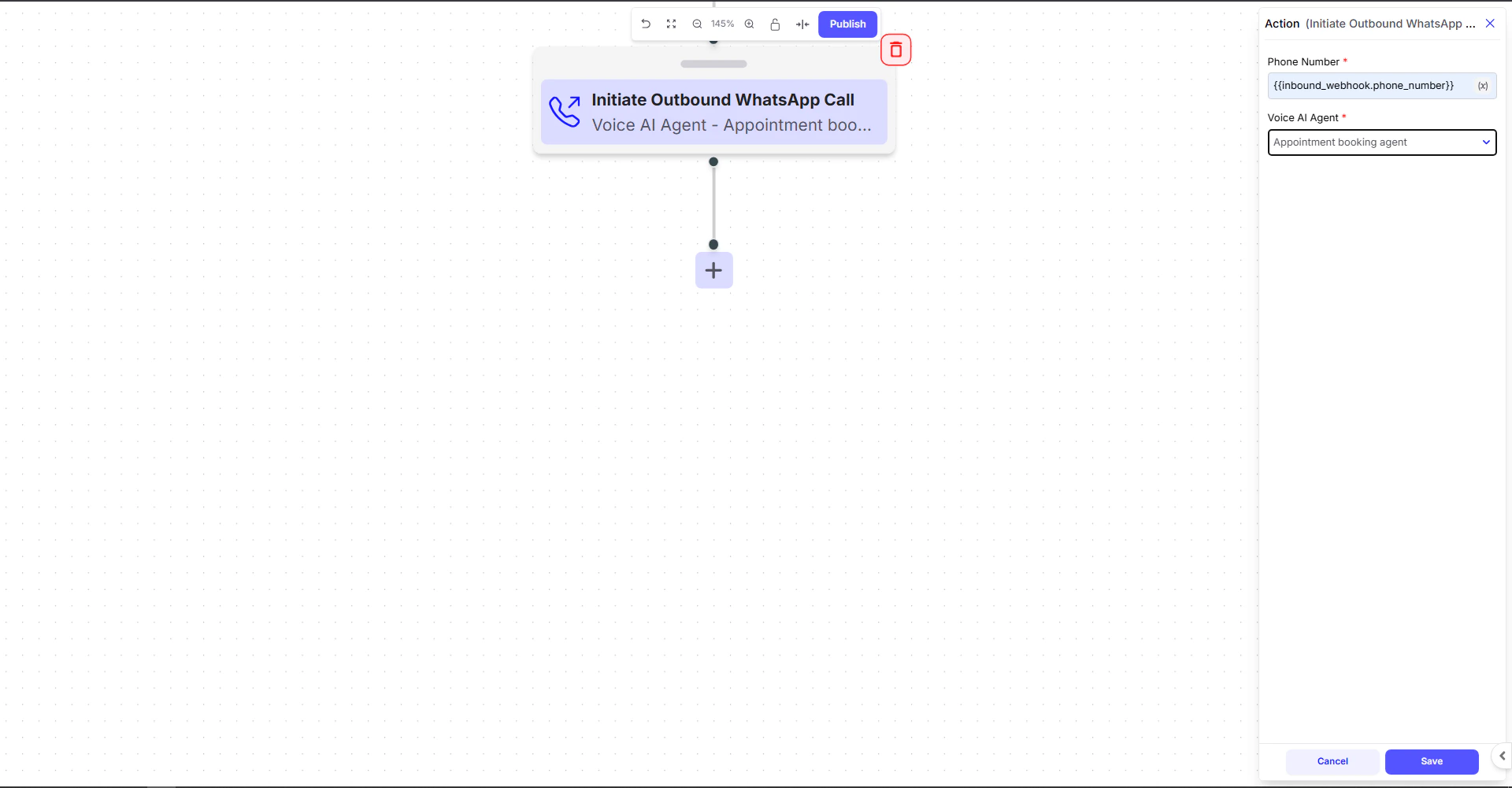
Configuration Fields
Phone Number
This is the number the Voice AI Agent will call. Pass the number using Journey variables:Voice AI Agent
Select which Voice Agent should handle the outbound call.- The chosen Voice Agent will speak the intro message, follow the Base Prompt, and run the full voice flow.
- Make sure the agent is properly configured with:
- Voice settings
- Telephony settings
- Base prompt
- Model & engine
Example Use Case
Scenario: Auto‑callback for Appointment Booking
A CRM sends booking details via webhook:- Phone Number →
{{inbound_webhook.phone_number}} - Voice AI Agent → Appointment booking agent
- Confirm the appointment
- Reschedule if needed
- Capture additional info